
Trade Mode serves as the primary economic foundation of your survival network. In this mode, you manage and expand diverse trading hubs across the post-apocalyptic landscape—transitioning from a modest desert scrapyard into a massive, highly automated trading network.
- Accessing the Mode: Tap the Trade button located on your main game screen.
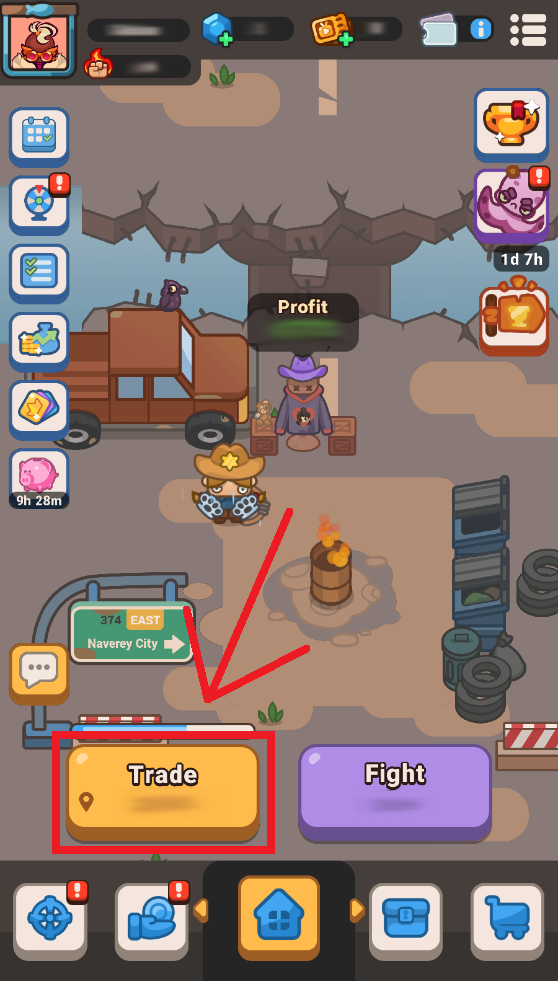
How to Manage and Grow Your Outposts
To construct an efficient, highly profitable trading empire, you must constantly execute a five-step economic loop:
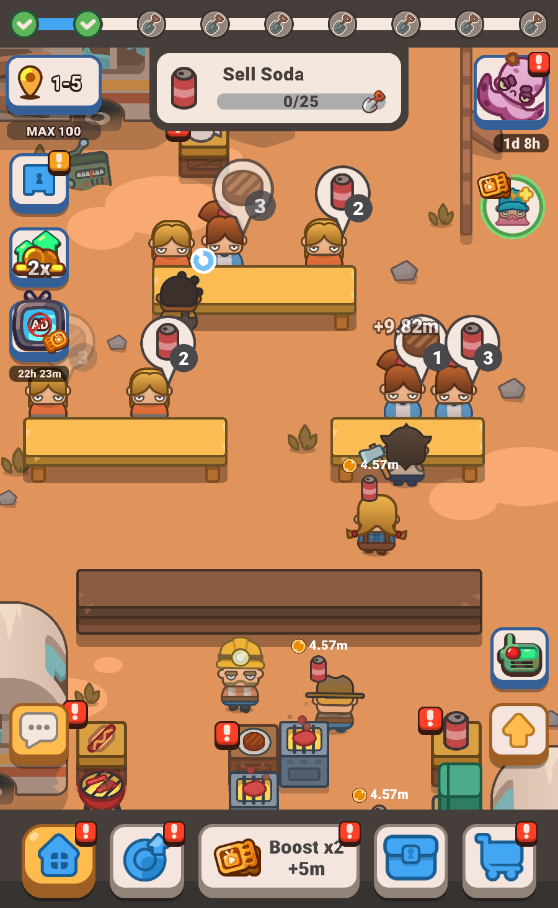
- Unlock Production Stations: Every new location features unmapped or broken factory lines, dining spaces, or item craft shops. Invest your local cash to systematically restore these production cells to expand the inventory of goods you can trade to scavenging survivors.
- Upgrade Active Station Levels: Tap directly on any operational trading post to view its production speed and item value stats. Pour cash into individual station level bars to multiply their processing capacity and exponentially boost your base item profits.
- Hire and Expand Station Staff: Production lines move slowly without manpower. Purchase personnel slots at each station to hire additional dedicated workers, thereby increasing processing velocity and reducing customer wait times.
- Collect Customer Tips: Satisfied wastelanders will occasionally drop secondary currencies directly onto the trading post floor. Watch your open dining or service tables for floating Coin Icons and tap them immediately to harvest bonus cash, Brave Coins, Shovels, and other resources.
- Interact with the Scavenger: Sometimes when playing Trade mode, a special helper character known as the Scavenger will randomly pop up. He offers you coins (and occasionally Gems) in exchange for watching a quick advertisement, providing an excellent acceleration boost to your current production.
- Reinvest Profits to Level Up the Vault: Tap the icon under the level number to open the Vault menu. Reinvest your hard-earned resources into permanent global perks—like the Kind Heart upgrade—that permanently increase your customer tip probability across all locations.
Pro-Tips for Effective Business Management
- Watch Your Total Profit Multiplier: Always keep an eye on your total profit multiplier located in the top-right corner of your Trade mode window. To prevent your outpost progression from slowing down significantly, ensure this multiplier is scaled up to at least "Common" tier or higher.
- Prioritize the Vault: While upgrading individual stations is excellent for your immediate progress, leveling up your Vault provides permanent, passive multipliers. These economic bonuses carry over automatically to every future camp you discover across the wasteland.
- Utilize the X2 Boost and Shop Options: When you want to clear a challenging level faster, remember to take advantage of the active X2 Boost button. You can also explore available in-game Store cash packages to instantly inject capital into your current trading hub.
Frequently Asked Questions (FAQ)
Q: I can’t play Trade mode! Why?
A: If you find yourself blocked from returning to your trade outpost, check the level's requirements text when attempting to enter. To initialize a brand-new Trade level, you might need to first clear a specific Fight Mode stage or upgrade your profile's overall profit percentage.
Q: How do I increase my Total Profit %?
A: To boost your total earnings, open the Profit Modes menu to manage your Trade Gear, Books, and Farming features. Always read individual item descriptions carefully before equipping or them, as certain upgrades provide targeted Trade mode boosts while others are designed for Fight mode optimization.
Q: Are there offline rewards for Trade Mode?
A: Yes! While you are away from the app, your character and waiters will continue to manage trades and harvest background resources automatically for up to 8 hours.
Navigation: Related Guides
Gameplay — Trade Gear
Gameplay — Books
Gameplay — Farming