
Books are one of the three foundational pillars used to skyrocket your global profit rate within the Trade Game Mode, working directly alongside your Trade Gear and Farming setups. This feature unlocks once you reach Trade Level 2-3 (Forest-3). Managing your library allows you to activate massive passive multipliers, ensuring your apocalyptic business empire operates at maximum efficiency.
How to Manage Your Bookshelf
To optimize your character's progression and get the most out of your collection, follow these simple management steps:
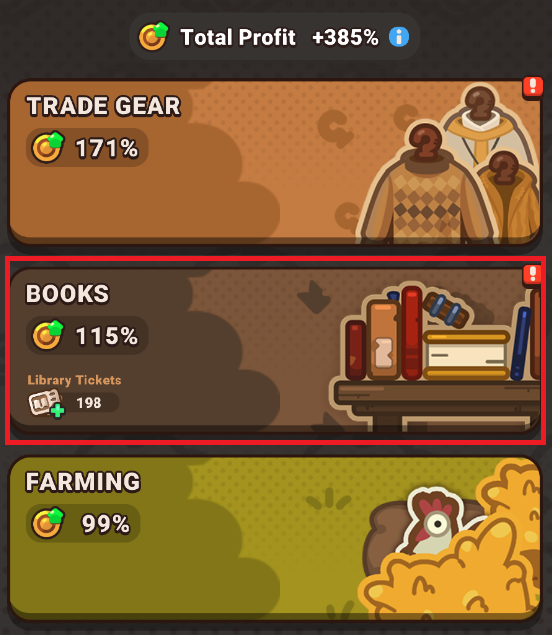
- Access the Books Menu: Open your Profit Modes tab and tap the Books button.
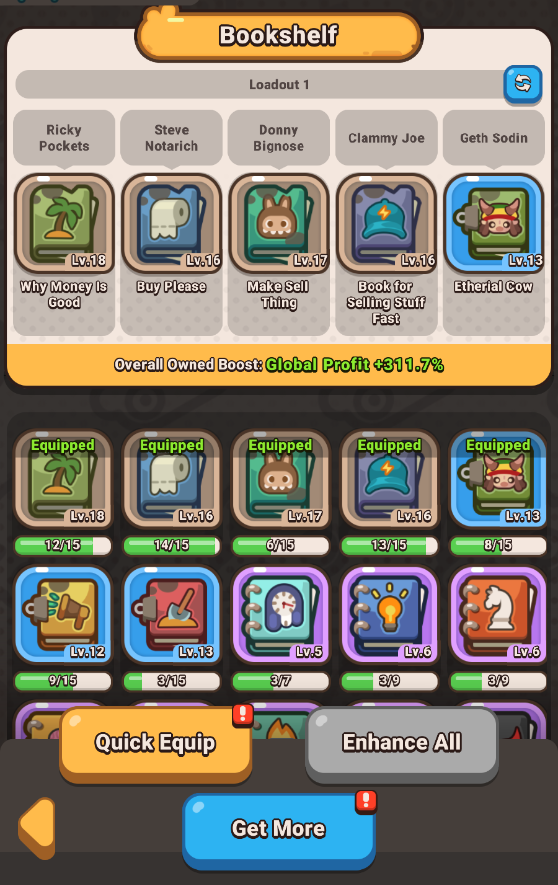
- Review Your Bookshelf Layout: At the top of the interface, you will see your active Bookshelf containing five dedicated slots. Your entire unequipped book catalog is displayed neatly at the bottom half of the screen.
- Configure Your Loadouts: Tap on individual items to read their stats, or use the Quick Equip button to let the system automatically assign your strongest options. You can also create and save multiple custom Book Loadouts to quickly swap configurations depending on your active business strategy.
- Upgrade with Duplicates: When you pull copies of books you already own, use the Enhance All button at the bottom of the window to instantly spend your duplicates and increase their levels.
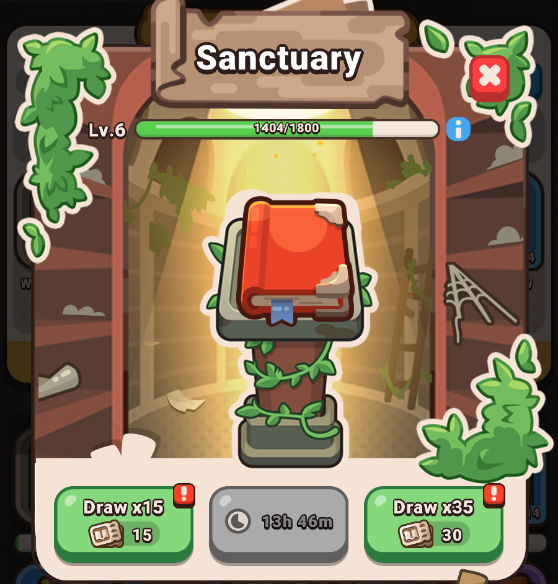
- Draw New Titles in the Sanctuary: Tap the Get More button to transition to the Sanctuary. Here, you can redeem your collected Library Tickets to draw brand-new books and upgrade duplicates.
Tips for Maximizing Your Books Profit
- Save Up Your Library Tickets: When expanding your collection in the Sanctuary, it is highly recommended to save your currency for bulk draws. Spending 30 Library Tickets yields a bundle of 35 books, granting you 5 completely free bonus drops compared to drawing them 15 at a time.
- Levels and Rarities: Every book has a specific rarity ranging from Common to Ethereal, alongside an upgradeable level index spanning from 1 to 200. Consistently gathering duplicates is the primary method used to max out a book's baseline stats.
- Carefully read the description: When choosing which books you would like to equip, read the description carefully. Some books give perks for Trade mode, some for Farming, and some for Fight mode. Select the ones that suit your current needs best and don’t forget to save several Layouts for more convenient gameplay.
Frequently Asked Questions (FAQ)
Q: What is the difference between an Owned Effect and an Equipped Effect?
A: Each book provides two distinct layers of support. The Owned Effect is a permanent passive multiplier that actively boosts your global profits at all times just by having the book in your collection. The Equipped Effect is a powerful secondary bonus that only activates when that specific book is actively placed into one of your five Bookshelf slots.
Q: How do I obtain more Library Tickets?
A: Library Tickets can be farmed by opening your Missions menu and launching into a Library Run challenge. Keep in mind that attempting this zombie combat mission requires expending 1 Library Key to initiate each attack sequence.
Q: Can I get books without spending my Library Tickets?
A: Yes! The Sanctuary features a dedicated ad option that is available up to 3 times per day. Utilizing this option awards several completely free book drops daily to help sustain your progression.