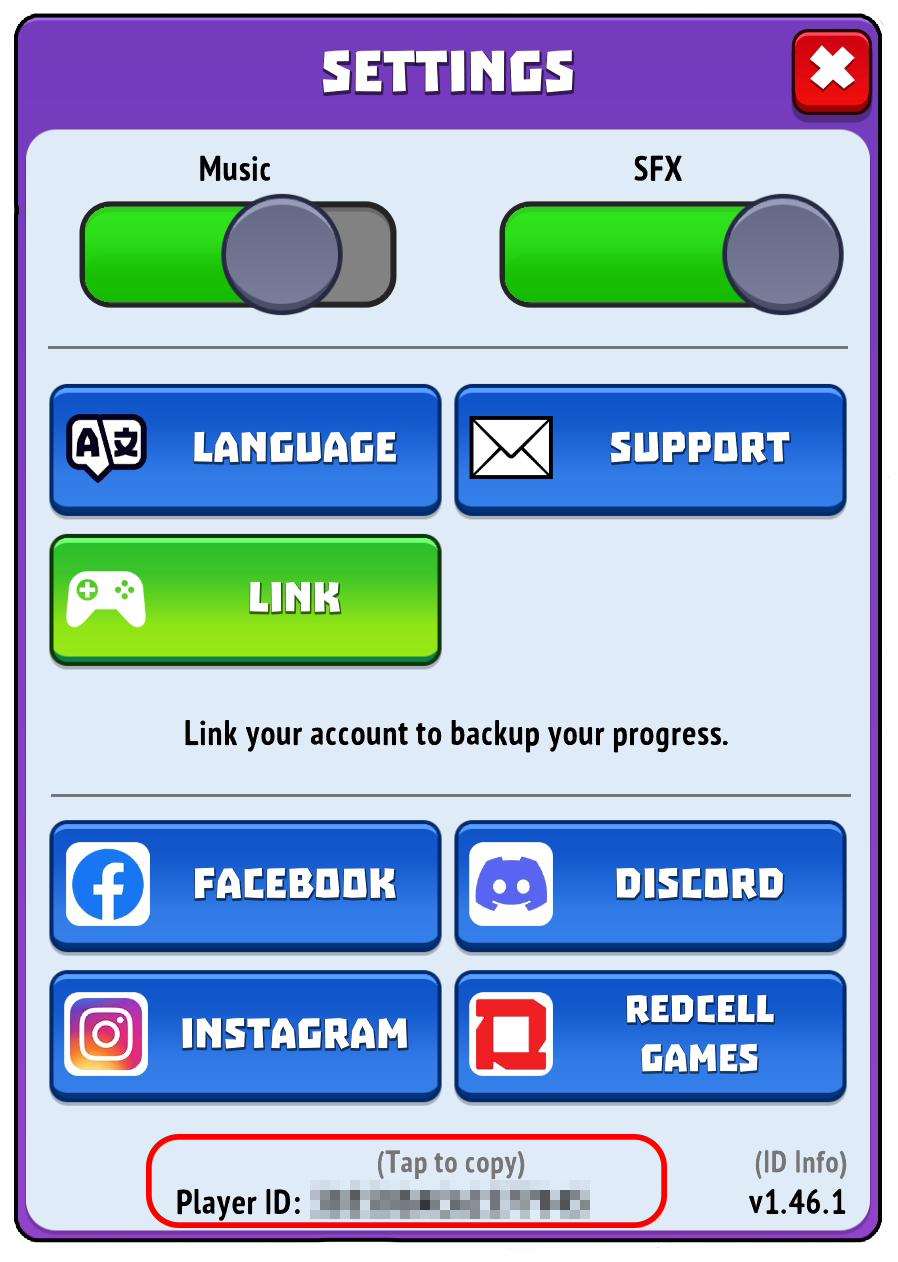
Your Player ID is a unique number that identifies your specific game account. Please note that Gold and Goblins does not use usernames or nicknames, and your ID cannot be changed.
Our support team always needs this identifier to look up your account details and help you resolve issues. You can easily find it in one of two places:
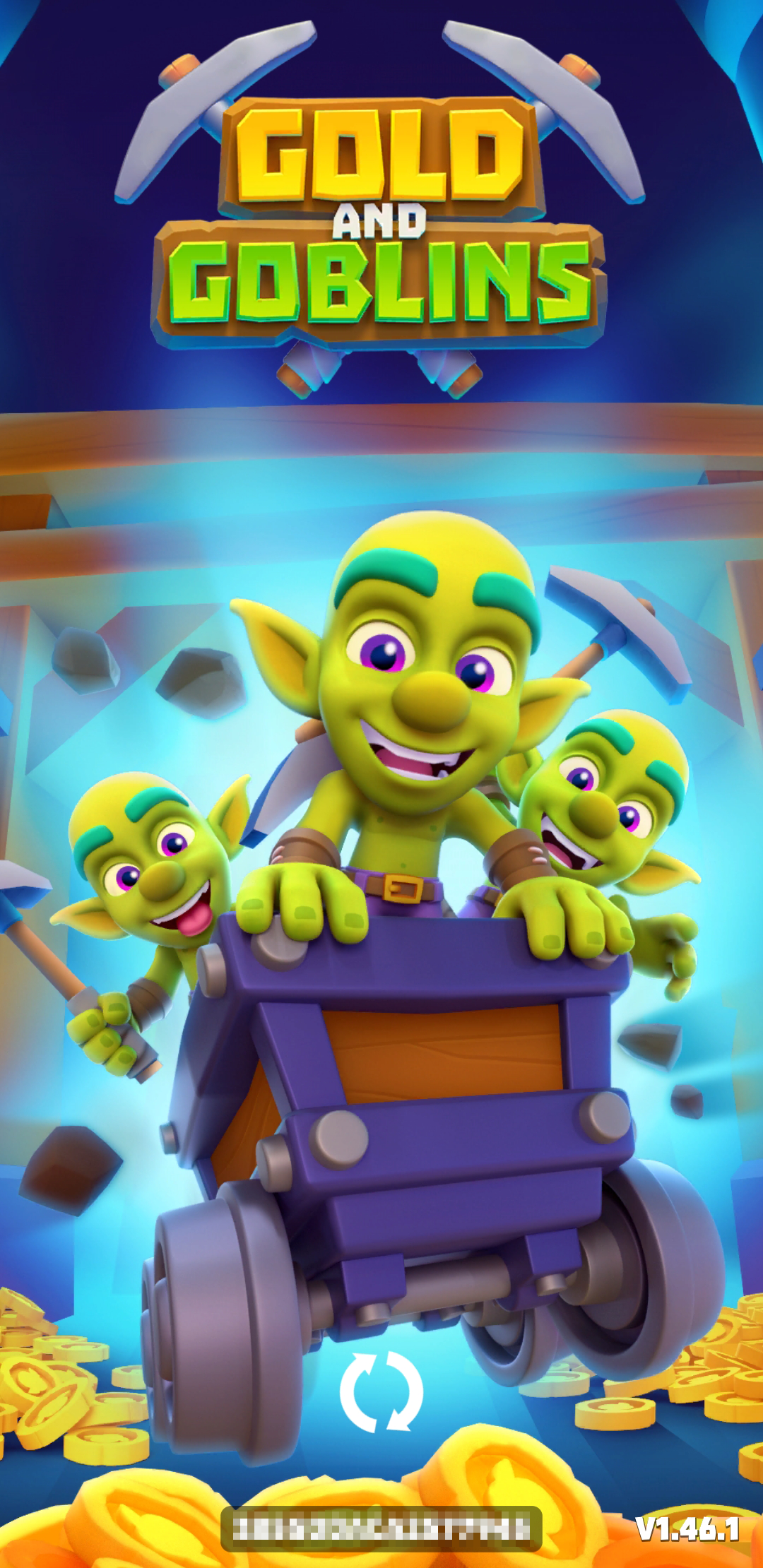
Option 1: On the Loading Screen
Every time you launch the game, your Player ID is visible at the very bottom of the initial loading screen.
Option 2: In the Game Settings (Recommended)
If you are already in the game, you can easily copy your ID to your clipboard so you don't have to write it down manually:
Tap the gear icon in the upper-right corner of the main screen to open Settings.

Look at the very bottom of the window, right below the social media buttons, to find your Player ID.
Tap the ID line once to automatically copy it.