
How to Build the Workshop
Feature Overview
The Workshop is the primary manufacturing hub that bridges your raw lumber production with advanced real-estate development. Building the Workshop allows you to transform standard processed wood blocks into structural materials, which are required to fulfill construction orders, unlock advanced housing blueprints, and expand your Lumber Village. Because building this facility is a major milestone, it requires specific factory machinery upgrades and a multi-stage delivery pipeline.
How to Access
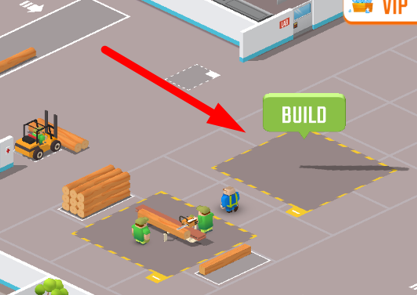
The physical construction site for the Workshop is located directly to the right of your primary factory production yard. Until the structural requirements are met, this area remains a designated foundation plot.
Core Mechanics & Step-by-Step Construction
Building your Workshop is an industrial project divided into distinct operational stages. Follow this sequence to successfully establish the facility:
1. Clear the Machine Prerequisites
Before your construction crew can lay down the initial infrastructure, you must upgrade your primary plant to the required technological tier:
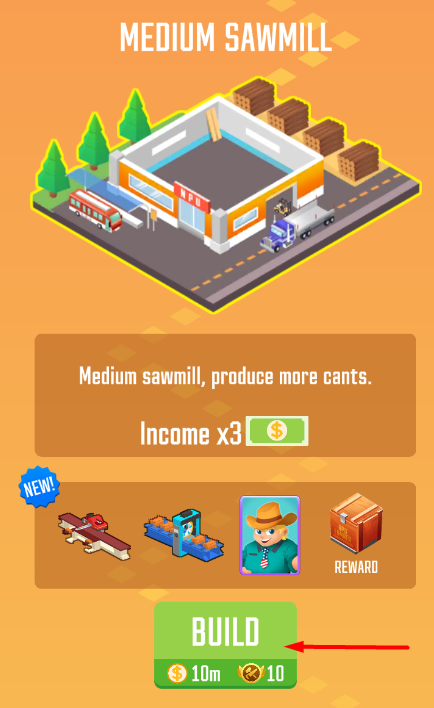
Upgrade your facility to the Medium Sawmill.
Progress through your automation line to officially purchase and unlock Canting Machine 2.
2. Initiate the Delivery Pipeline
Once your machinery is active, you must establish a dedicated logistics supply chain to route raw materials to the construction zone:
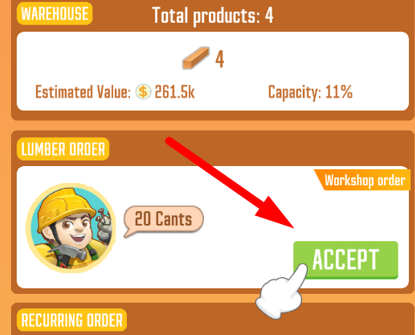
Open your order board and look for the specialized Workshop Delivery Contract. This specific project is represented by a unique client avatar showing a man wearing a construction helmet.
⚠️ Strict Sequence Rule: This delivery contract must be positioned first in line on your active order ledger to process correctly.
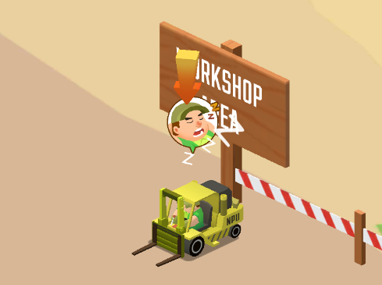
Head over to your log yard and ensure you tap the sleeping Forklift Driver to wake them up, allowing them to begin transferring timber loads from your processing lines to the transit pad.
3. Finalize Stage 1 Construction
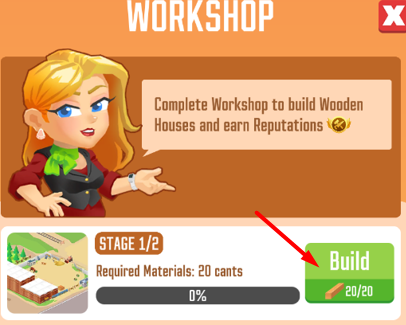
Monitor your resource bars until your logistics team delivers the required volume of timber to the foundation zone.
Walk over to the construction site to the right of your factory and tap the prominent green Build button to complete Phase 1.
4. Upgrade to the Modern Sawmill (Stage 2)
To finish the building's final framework, your crew requires higher-grade industrial support:
Upgrade your entire operation from the Medium Sawmill tier to the Modern Sawmill.
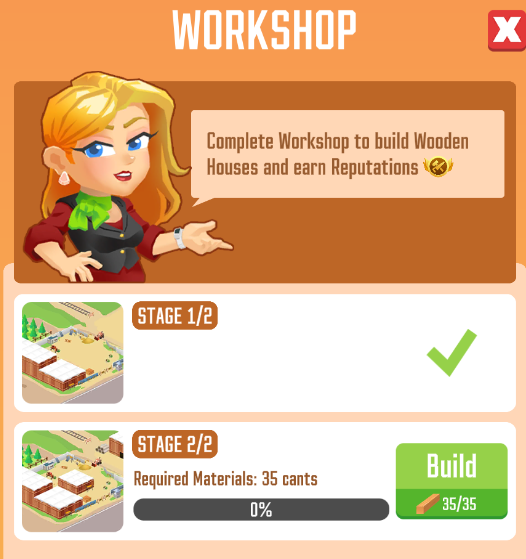
Once the factory upgrade is complete, repeat the exact logistics loop detailed above: accept the helmeted manager's delivery contract first in line, wake up your forklift operators, and dump the remaining material quotas into the site to finish the building.
Handling Logistics Delays
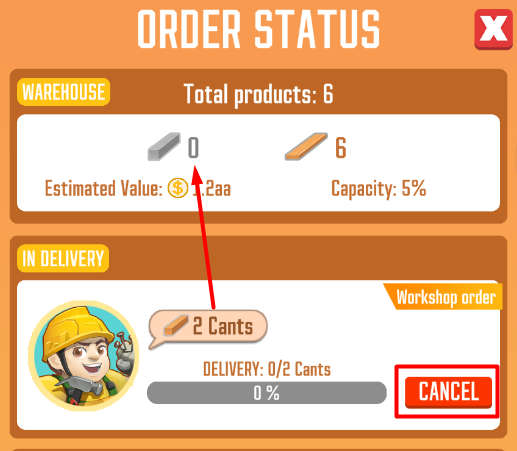
⚠️ Order Stalling Solution: Due to background synchronization shifts, your Workshop construction delivery order can occasionally become completely stuck or refuse to register incoming wood piles. If your delivery counter freezes, simply cancel the active order. Clearing the stalled slot forces the system to refresh immediately and generate a clean version of the contract. Additionally, remember that all types of manufactured wood materials are suitable for building the Workshop, meaning you do not need to wait for a specific timber grade to clear the project.
Tips and Strategies
Don't Forget the Forklift Operator: The most common reason a construction order stalls right at the start is an inactive yard worker. Always double-check your forklift bay before cycling your orders; a single tap to wake up your driver keeps your supply lines running continuously.
Pre-Farm Your Factory Funds: Upgrading to both the Medium and Modern sawmills requires a massive injection of primary factory cash. Focus your automated log lines on high-value commercial shipments right before you begin the Workshop projects so you don't hit an unexpected financial bottleneck midway through construction phases.