
The fastest way to get help is to use the in-game help. Contacting us in-game automatically securely shares your account status with our team, helping us resolve your issue much more quickly.
Method 1: Contact Us In-Game (Recommended)
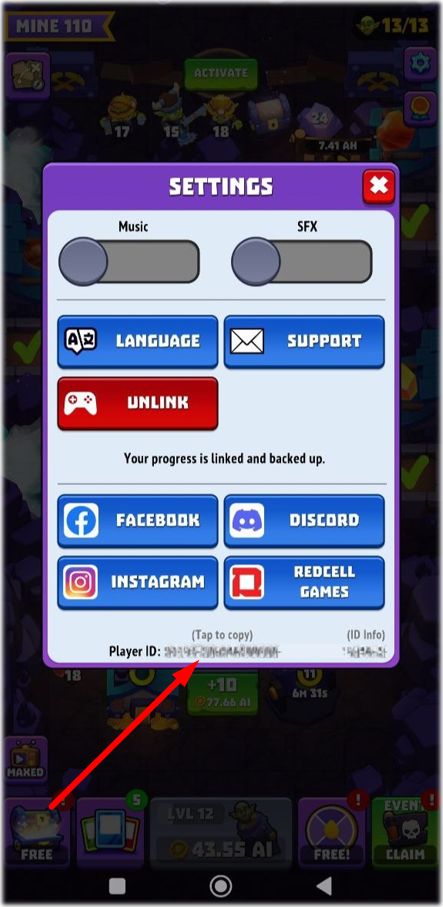
Open the game and tap the gear icon in the upper-right corner to open Settings.
Tap the Support button.
Select the most suitable category from the menu or type your message manually.

Method 2: Use the Online Support Form
If you cannot open the game or are experiencing loading issues, you can submit a detailed request through our external web page:
⚠️ What to Include to Speed Up Your Request
To help our team resolve your case as quickly as possible, please ensure your message includes the following details:
Your Player ID: You can automatically copy this code by tapping the long identifier number at the very bottom of the Settings menu.
Purchase Proof: If your request is related to a payment issue, please attach your Google Play order number (starting with GPA) or your official App Store receipt.
Context & Visuals: Screenshots of errors and a brief note of the exact time the issue occurred will greatly speed up the resolution.