
The Drone serves as an advanced tactical support system that provides a massive secondary source of combat attributes for your survivor. This feature unlocks once you clear Fight Level 2-1-1 (Forest-1-1). Each player commands a single tactical drone assembled from multiple customizable mechanical components, which directly amplify your combat durability and firepower during battle sequences.
🎬Check out this Video Tutorial!
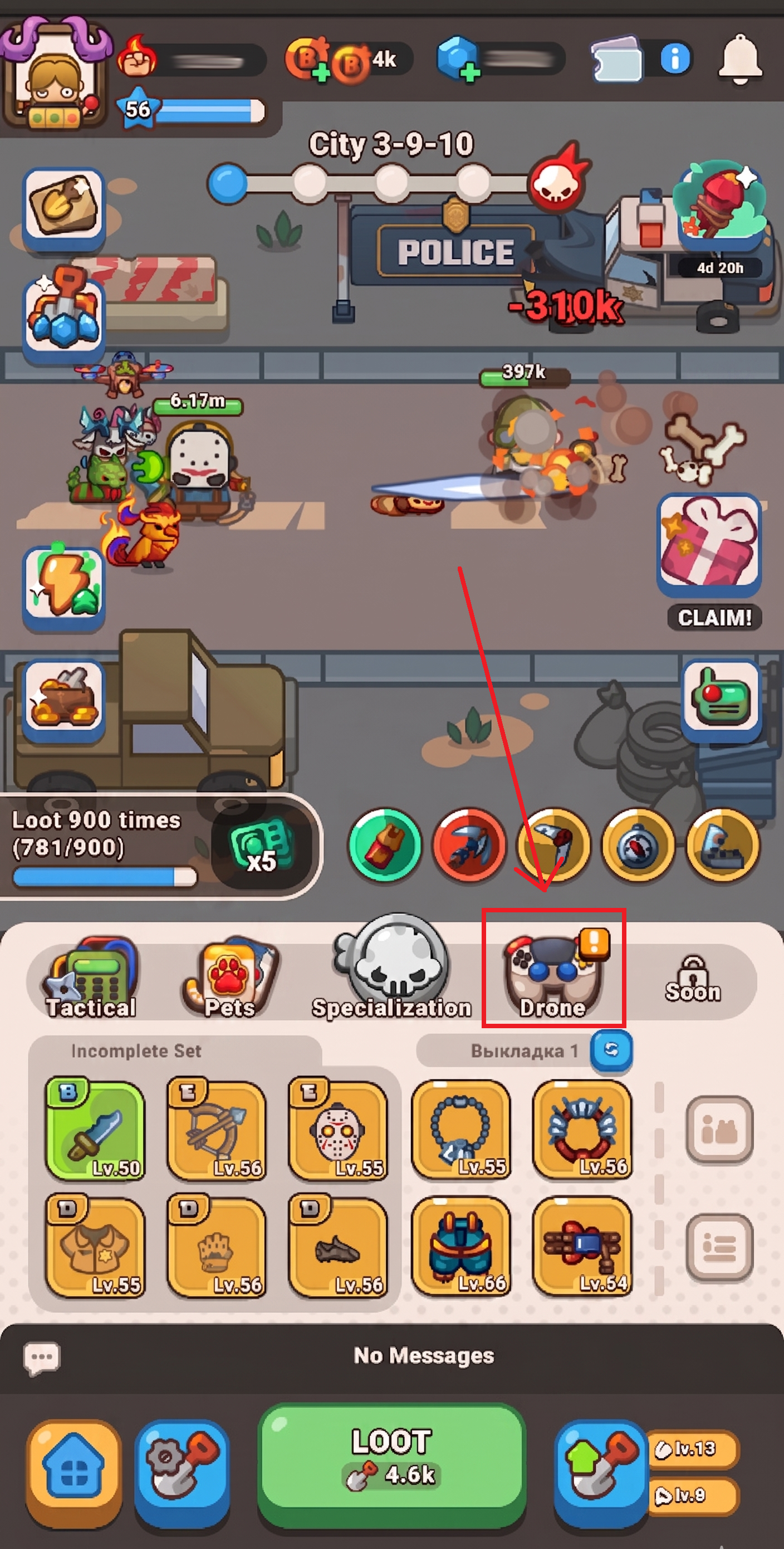
How to Search and Assemble Drone Parts
To optimize your automated drone and continually upgrade your combat stats, follow this operational blueprint:
Access the Drone menu: Open your Fight mode window and tap on the Drone icon to view your current configuration.
- Search for New Components: Tap the Search for Part button to find new pieces. The drone is built from 7 core parts, which feature different structural variations. Tapping search will either unlock an entirely new part category or drop a brand-new rarity type variation for an existing component.
- Equip Part Variations: Select your newly discovered component types to attach them to your drone. As you swap and equip different parts, the physical appearance of your drone updates in real-time to reflect your current loadout.
- Upgrade with Gearwheels: Spend Gearwheels — the primary currency utilized across the drone workshop — to increase the power of individual parts. Every unlocked component variation can be continuously leveled up all the way to a maximum cap of Level 150.
- Set up multiple unique Loadouts so you can quickly switch your Drone parts combinations depending on your current situation.
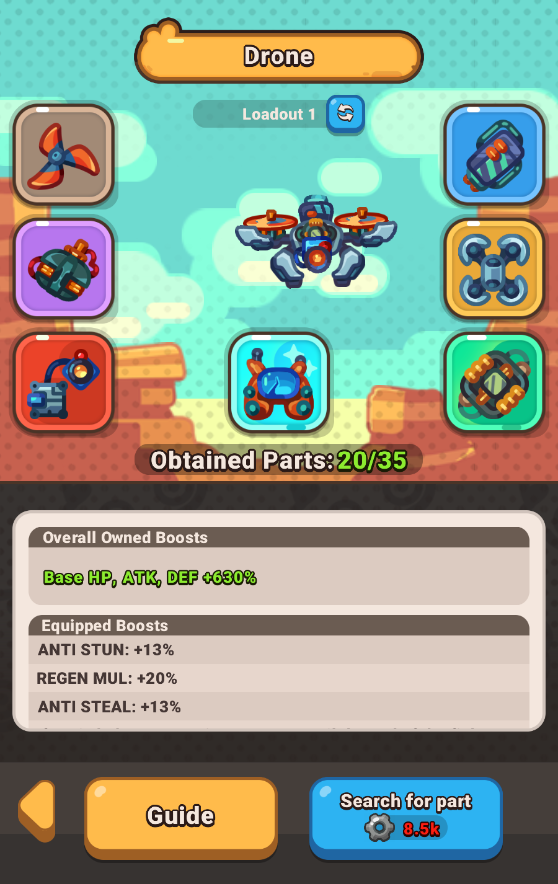
Understanding Part Tiers and Effects
Every drone component drop features two distinct types of active bonus modifiers that directly benefit your survivor:
- Owned Effect: A permanent passive bonus that instantly applies to your account profile the exact second you discover the component, remaining active even if it isn't equipped.
- Equipped Effect: An additional bonus that triggers exclusively when that precise component is actively attached to your drone.
Components scale through seven specialized rarity brackets:
- Blade — Common
- Battery — Rare
- Motor — Epic
- Base — Legendary
- Camera — Exotic
- Chip — Oblivion
- Controller — Immortal
Pro-Tips for Peak Drone Performance
- Acquire the Exclusive Drone Controller: Keep a close eye on your calendar! The highly sought-after Drone Controller component type cannot be uncovered using standard searches and is exclusively awarded through milestones in Limited-Time Events.
- Reinvest Gearwheels Early and Often: Since Owned Effects provide permanent background multipliers to your character, no resource is ever wasted. Upgrading lower-rarity components like Blades or Batteries up toward Level 150 will continuously stack your passive background stats.
- Hoard Your Gearwheels: Always make sure to maximize your daily challenge runs and survival loops to farm extra Gearwheels, as maxing out multiple component variations simultaneously requires a highly consistent resource flow.
Frequently Asked Questions (FAQ)
Q: Why didn't my Search for Part button drop a completely new drone part?
A: The system splits its algorithm evenly: tapping the search button can either unlock a brand-new type of part or grant you a variation type for a component you already own.
Q: Do I lose my upgraded component levels if I unequip a part variation?
A: No. Levels are permanently tied directly to that specific variation type. Changing your drone's visual equipment will adjust your active Equipped Effects, but your individual part levels remain entirely safe.