
The Endless Graveyard is a specialized combat mission mode in Idle Outpost designed to test your survivor's tactical limits against relentless waves of the undead. Successfully purging these grounds is one of the absolute best ways to consistently farm Shovels, which are vital for going on looting runs to unearth high-tier equipment.
To access this mode, open the Missions menu from your main game interface hub and select the Endless Graveyard icon.
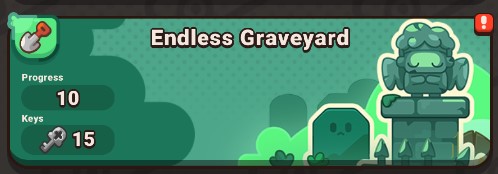
How to Navigate Endless Graveyard
Initiating a raid and maximizing your Shovel payouts takes only a few quick steps:
- Tap the Endless Graveyard icon inside the Missions menu to load the main feature deployment window.
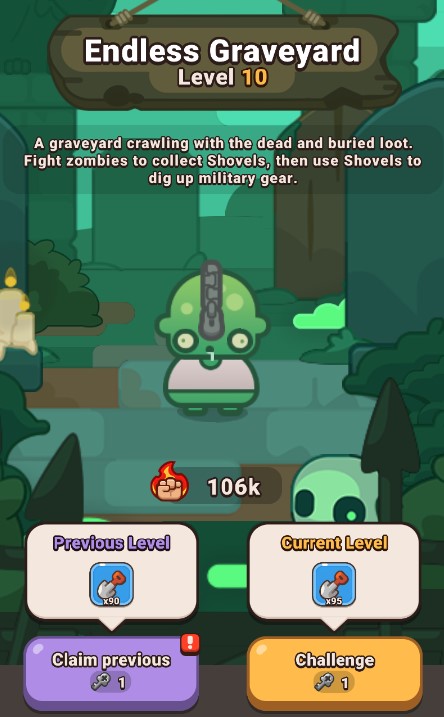
- Review the central display before deploying to analyze your target's details.
- Tap the Challenge button located at the bottom of the screen to launch the raid. Initiating an attack consumes exactly 1 Graveyard Key.
- Before facing the main Boss, your survivor must battle through several preliminary waves of zombies, with each consecutive wave scaling in power.
- After surviving a series of battles, you face a critical strategic choice:
- Push Forward: Continue fighting progressively tougher enemies to heavily multiply your upcoming Shovel rewards.
- Claim Rewards: Safely retreat and cash out to immediately secure the rewards for the Zombie Bosses you have already successfully defeated.
Frequently Asked Questions (FAQ)
Q: How do I acquire more Graveyard Keys?
A: Your core allotment of Graveyard Keys is automatically replenished at the start of each daily server reset. Additionally, you can farm extra keys by clearing your daily objectives in the Tasks Menu, claim as a rare reward in the Spinner, or purchase them through the store tab.
Q: Does my level affect my power in the Graveyard?
A: No, success in the Endless Graveyard is entirely dictated by your tactical equipment.