
The Idle Outpost WebStore is an official online portal designed to give players maximum value outside the standard mobile application stores. Whether you are looking to claim free daily rewards to speed up your progression or seeking exclusive high-value currency packs, the WebShop is a vital companion to your wasteland journey.
How to Access the Webshop & Claim Free Gifts
You don’t need to spend a single cent to benefit from the WebShop! We provide a continuous stream of free rewards directly through our web interface to support your survival efforts:
- Head over to the official Idle Outpost Webshop.
- Securely log in using your unique in-game User ID. (You can easily find and copy this by navigating to the Settings ☰ icon in the top-right corner of your game screen and tapping the Account tab).
- Check the Gifts tab to instantly claim your free daily items, such as Gems or Ad Vouchers.
The Scavenger's Path
Making purchases on the Webshop does more than just give you instant items - it also fuels your journey along The Scavenger's Path!
- Earn as You Spend: Earn Scavenger Points with every single purchase you make on the WebShop.
- Progressive Milestones: Accumulating these points allows you to climb through various levels.
- Unlock Exclusive Rewards: The further you progress through the levels, the higher the tier of exclusive bonus rewards you will unlock.
Webshop Payments
All real-money transactions made through the official Idle Outpost Webshop are securely processed via Xsolla, a leading and trusted global third-party payment provider.
If you have questions or issues related to a purchase made outside the game, you’ll need to contact Xsolla Support directly.
When to Contact Xsolla
Contact Xsolla if:
- You didn’t receive a purchase made outside the app
- You have billing issues related to non-app store payments
- You need a refund or receipt for an external purchase
How to Contact Xsolla
You have two options to get in touch:
1. From the Payment Window
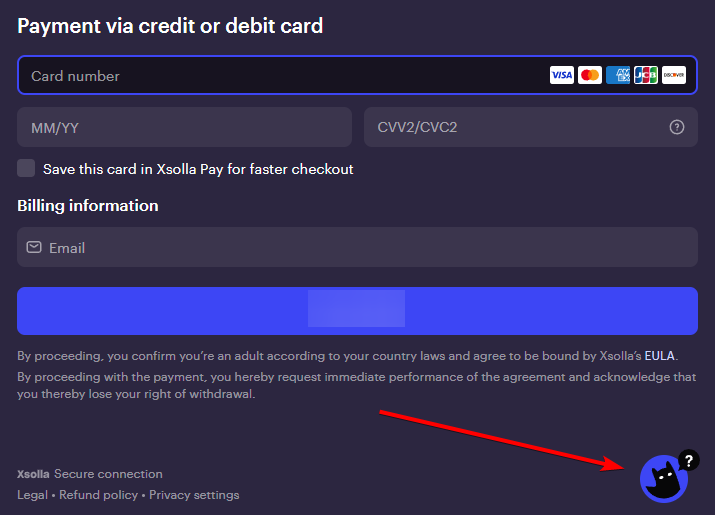
- Open the payment window where you made the purchase
- Click the cat icon in the bottom-right corner
- Choose your preferred communication method (chat, email, etc.)
2. From the Xsolla Help Center
Go to this page:
Scroll to the bottom of the page
Click on "Submit a Ticket"
Fill in all required fields
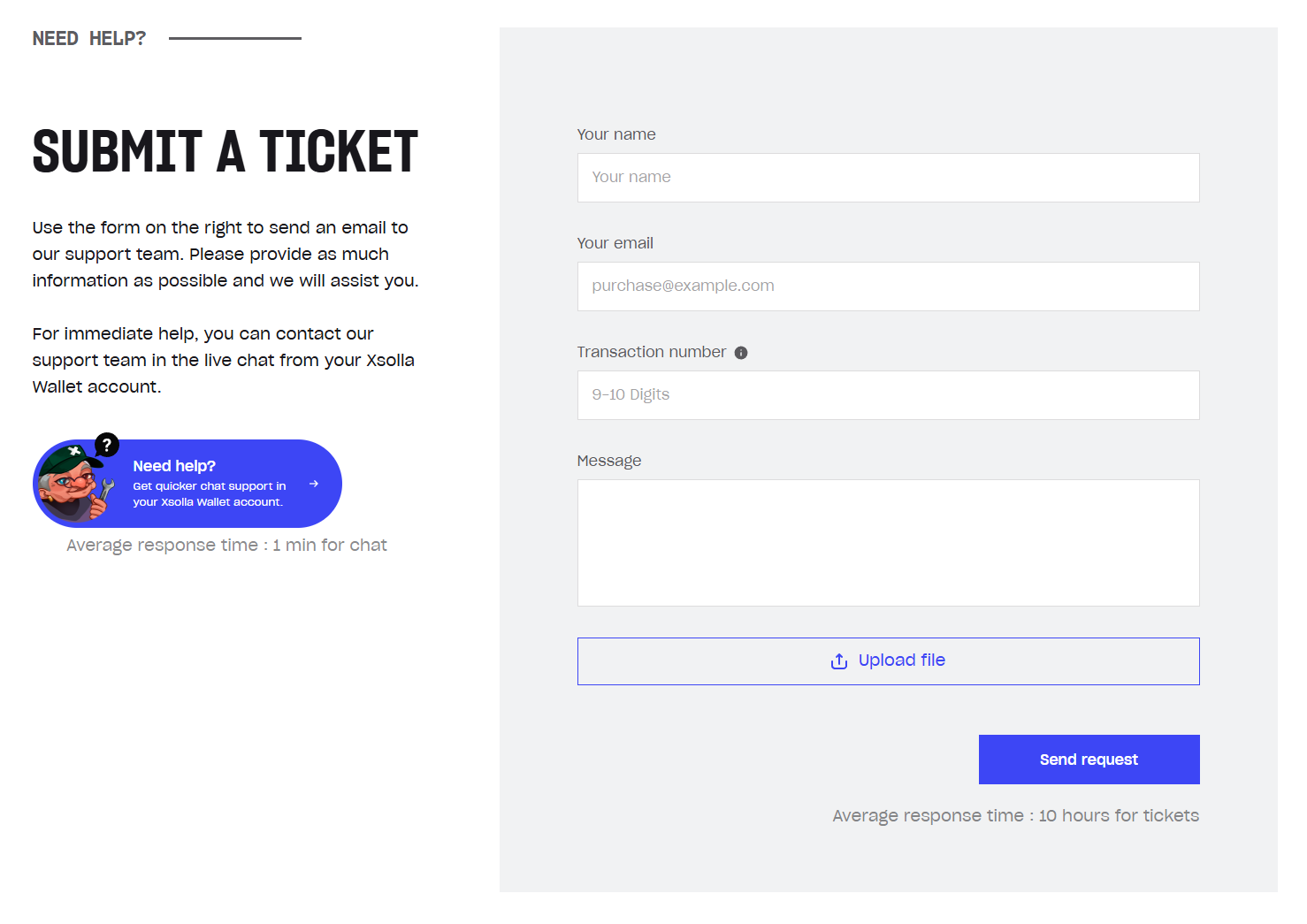
Tip: If you don’t have a transaction number or your issue isn’t tied to a specific purchase, just enter any random numbers in that field.