
If you encounter a player who is violating our rules, please let us know right away using our in-game reporting features.
Reporting Directly from Chat
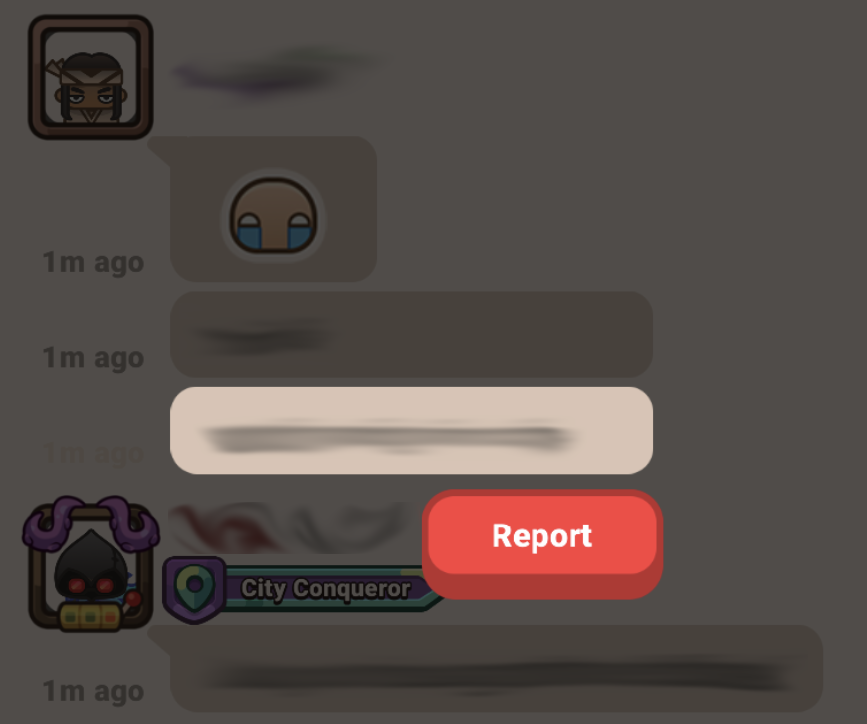
You can quickly report an inappropriate message or player right from the chat window:
- Tap and hold on the specific message you want to report.
- Press the Report button.
- Enter a brief reason for your report, then tap Send.
Report using Support
To report another player through Support, follow these steps:
- Open the Settings ☰ menu from the main screen.
- Tap Support.
- Choose an option to contact support.
- Select the Report a Player category.
- Follow the instructions provided by the support chatbot.
Make sure to complete all steps, so our support team can receive your report properly.
What to Include in Your Report
To help our team investigate thoroughly, please try to provide as much detail as possible. Useful information includes:
- The offender's nickname
- A screenshot of their profile or leaderboard position
- Screenshots or proof of the offensive behavior or cheating:
- Inappropriate or offensive usernames
- Offensive messages in chat
- Evidence of cheating or exploiting game mechanics
The more information you provide, the easier it is for our team to review the case and take appropriate action.