
The Personalisation Window allows you to completely customize your player profile and character appearance to reflect your personal survival style. It provides a dedicated hub where you can modify how your survivor looks during combat encounters and change how your account profile appears to other survivors.
This customization hub is available automatically to all players directly from the main hub screen.
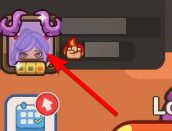
How to Use the Personalisation Window
Altering your layout or updating your cosmetics takes only a few quick taps:
- Open the game and make sure you are looking at the main game screen (the hub).
- Tap your active Profile Icon located in the top-left corner of the screen.
- Browse the customization tabs to preview and activate your collected items.
You can fully customize the following visual profile elements:
- Character Skin: Alters the core physical appearance of your active character.
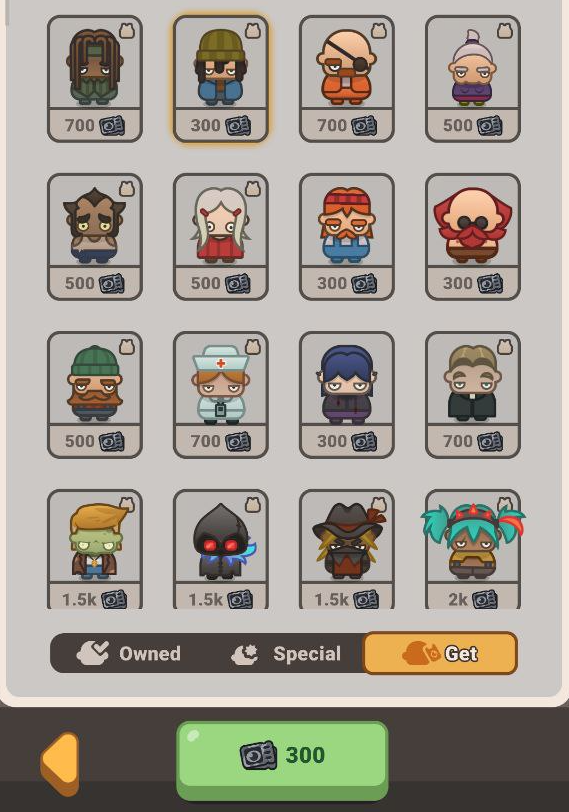
- Profile Icon (Avatar): Lets you choose a unique standalone icon to represent your account.
- Profile Icon Frame: Adds a decorative border or frame around your selected profile icon.
- Title: Displays a prestigious earned title directly beneath your name to showcase your milestones.
Pro-Tips
- Check Item Descriptions: Every locked item contains a small description field to help you track down exactly where it can be obtained. If an item is available for direct purchase, its exact Black Voucher price will be displayed clearly beneath it.
- Monitor Event Exclusives: If an icon or frame is reward-exclusive, it will show a general hint like “Earned in special events”. These cannot be bought with standard cosmetic currencies and require active event participation to unlock.
- Watch the Shop for Special Bundles: Some exclusive character skins are rotated directly into limited-time store packages. Check the shop menus regularly if you are hunting down specific looks that aren't available for vouchers.
Frequently Asked Questions (FAQ)
Q: Why can't I unlock certain character skins using my Black Vouchers?
A: Not all cosmetic items are available through every unlock method. Certain premium frames, titles, and character options are completely locked behind specific seasonal events or featured in-game shop offers.
Related Guides
Gameplay — Black Vouchers and How to Use Them