
The Equipment Customization feature (previously referred to as Transmogrification) allows you to personalize your character's visual appearance using a wide variety of collectible skins. Beyond giving your survivor an edge in style, unlocking and equipping skins provides permanent stat enhancements to your core basic attributes: Attack, Defense, and HP.
This feature triggers automatically once you satisfy both of the following milestones:
- Reach the Plane Wreck (1-3) location.
- Advance to mission level 2.
Note: Prior to reaching mission level 2, you will only discover basic gear of rarity E, and skin modifications will remain locked.
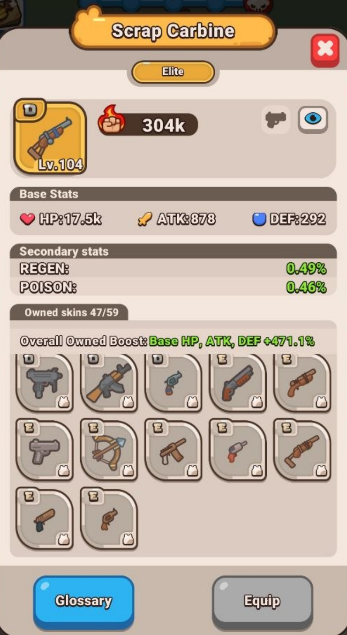
How to Use and Customize Your Skins
Equipping your unlocked items or reviewing your collection takes only a few quick steps:
- Open your Fight Mode window and tap on an active gear item.
- Click on the item's parameters to open its details, then tap the Glossary button at the bottom.
- Browse through the available skins for that specific item category to inspect their visual design and stats.
- Select your preferred skin to instantly transform your character's look.
- If you prefer to showcase your gear's default appearance instead, you can easily toggle the skin overlay off directly inside the menu.
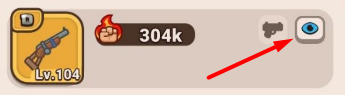
Pro-Tips for Maximizing Your Power
- Collect Set Bonuses: Gathering multiple pieces belonging to the exact same Set Collection triggers massive combat advantages. Completing full high-tier sets also unlocks exclusive visual animations, such as the eye-catching Radiation and Reflecta aura effects.
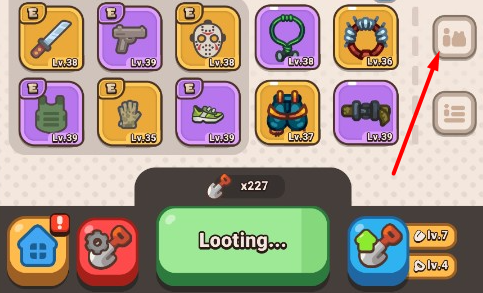
- Acquire Sets From Multiple Sources: Don't rely solely on basic map looting! You can track down missing set pieces by checking the Rush Shop, or actively participating in special limited-time events.
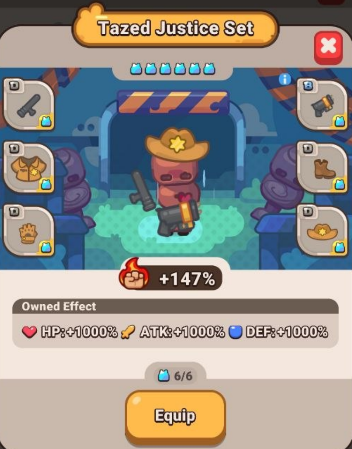
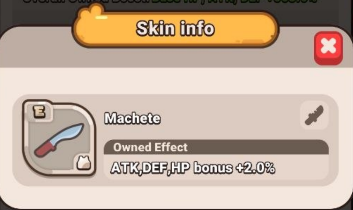
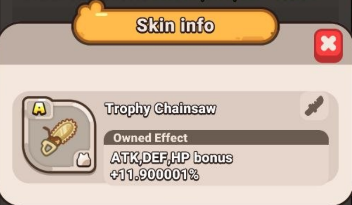
- Understand Skin Tiers: Skins are classified into tiers ranging from D up to SSS. Higher-tier skins grant exponentially higher baseline percentage modifiers to your character's overall power.
Frequently Asked Questions (FAQ)
Q: How do skins interact with the Auto Loot system?
A: During Auto Loot, any brand-new skin you discover is unlocked instantly and displayed for you. If the system loots a skin you already own, it will automatically process it as a duplicate behind the scenes.
Q: What happens when I collect a duplicate skin?
A: Duplicate skins are automatically converted into Tier Coins. This currency is directly spent to upgrade your shovel's handle level, with higher-tier duplicates yielding vastly more points to speed up your upgrades.