
Taking a screenshot is a great way to capture an issue to share with our support team. The exact steps vary slightly depending on your device model.
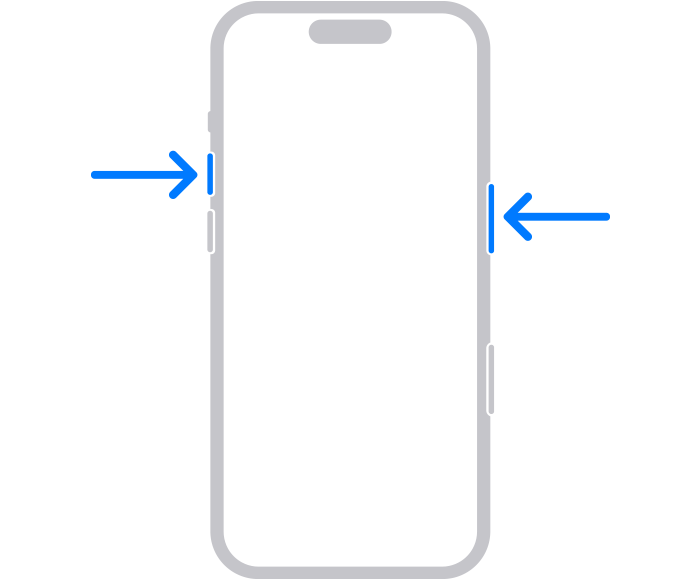
Devices with Face ID
Press the Side button and the Volume Up button at the exact same time.
Quickly release both buttons.
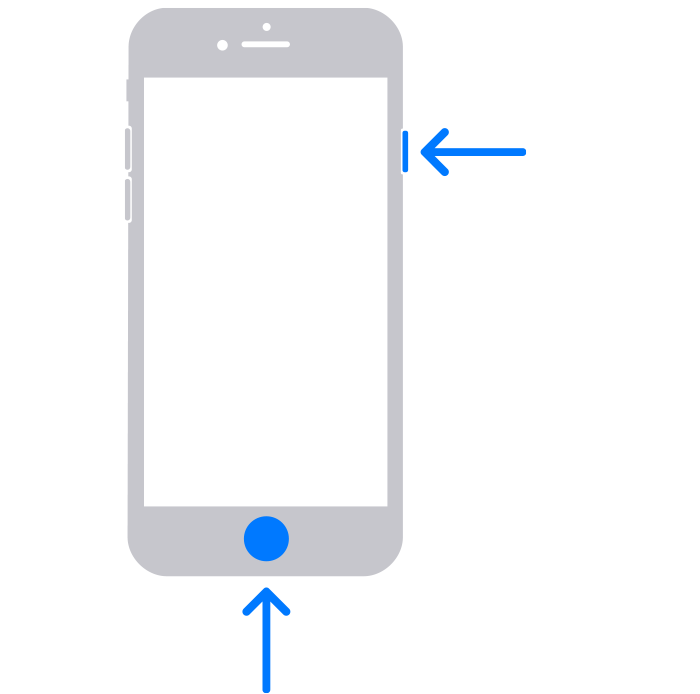
Devices with a Home Button
Press and hold the Sleep/Wake button on the top or side of your device.
Immediately press and release the Home button.
Where to Find Your Screenshot
After you take a screenshot, a temporary thumbnail may appear in the lower-left corner of your screen.
To view your saved images later, open your Photos app. Go to your Albums and tap on Camera Roll (or the Recents / Screenshots folder on newer iOS versions) to find your screenshot.